Print-In-Place Tolerances: The Gap That Makes It Move
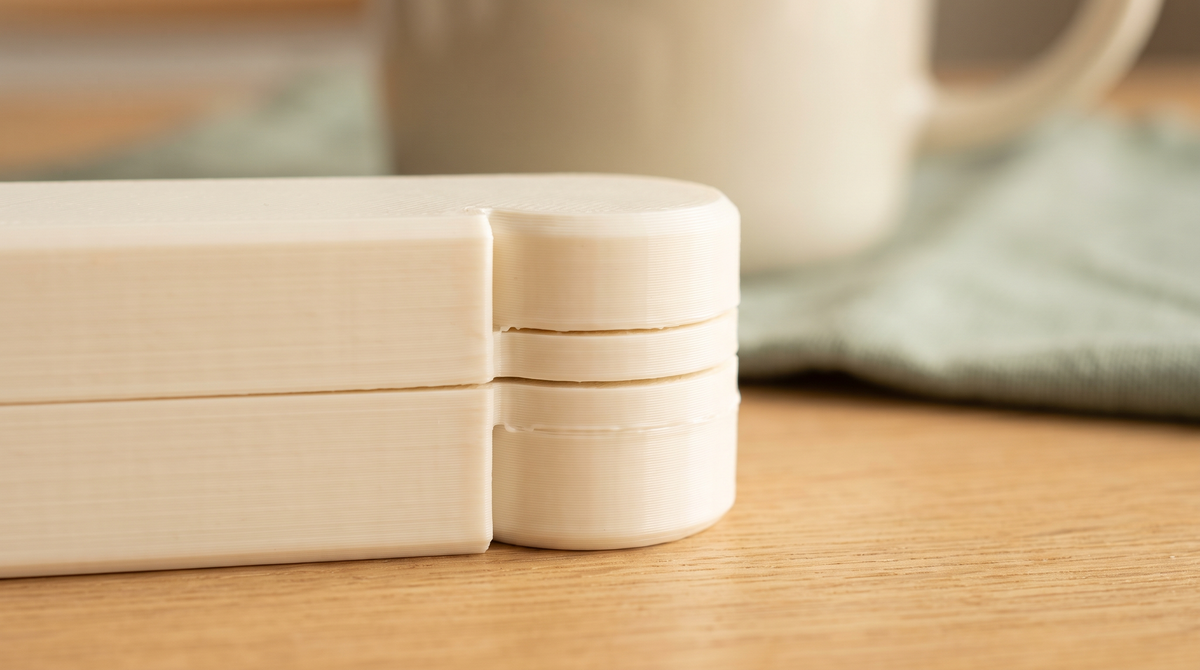
I've written about what print-in-place means. This is the practical follow-up: the actual numbers, and what to do when it doesn't work.
The number
0.2mm to 0.3mm of clearance between moving surfaces is the usual working range for FDM printing.
Below about 0.15mm you're relying on your printer being unusually well calibrated, and most aren't. Above about 0.4mm the joint becomes visibly sloppy.
0.25mm is a reasonable default if you're designing from scratch and don't want to test.
Why it varies so much between printers
This is the frustrating part, and it's the reason the same file works perfectly for one person and fuses solid for another.
Flow rate. The dominant factor. If you're over-extruding by 3%, every wall is slightly thicker than designed, and the gap between two walls shrinks by roughly twice that. A 0.2mm designed gap becomes 0.15mm or less. Do that on a print-in-place model and the surfaces touch and weld.
This is why flow calibration is not optional for these models. It's the single most valuable thing you can do.
First layer squish. Your first layer is pressed into the plate and spreads wider than the layers above. If a clearance gap sits on the first layer, it closes. Sometimes the fix is lifting the model slightly off the plate.
Cooling. Molten plastic sags. Sagging closes gaps. Poor cooling on overhanging joint surfaces will bridge a gap that should have stayed open.
When it comes out fused
First, try to free it before you reprint. A lightly fused joint is a very thin weld, not a solid part.
Twist gently and progressively. You'll often feel it release with a small crack, and then it works perfectly forever. Stop if it feels like the part itself is flexing rather than the joint — that's about to break.
If freeing it works, the gap was marginal rather than wrong. If it's genuinely solid, something needs to change.
Fixing it without editing the model
You usually don't need to touch the geometry.
Run a flow calibration. Start here. If you're over-extruding, everything else is a workaround for that.
XY compensation. Most slicers have a setting that shrinks or expands external dimensions slightly. A small negative value thins every wall, which widens every gap. Adjust in 0.05mm steps.
Improve cooling. Make sure the part fan is at full and the duct isn't blocked.
Slow the outer wall down. Gives each layer time to set before the next lands, which keeps gaps crisp.
Lift it off the plate. If the joint is at the very bottom, raising the model a few millimeters and supporting underneath moves the joint away from the squished first layer.
When it comes out in pieces
The opposite problem, and less common. The gap was too large, so nothing interlocked.
Usually under-extrusion — a partially blocked nozzle, wet filament causing inconsistent flow, or a flow value set too low. Same fix, opposite direction.
Scaling breaks it
Important and easy to forget.
Scaling a print-in-place model scales the clearances too. Print at 80% and a 0.25mm gap becomes 0.2mm — probably still fine. Print at 50% and it's 0.125mm, which will fuse.
Scale up and the joint gets loose and rattly.
Small adjustments are usually survivable. Anything beyond about 20% either way needs the gap adjusting to compensate.
Material matters
PLA is the easiest — dimensionally stable and predictable, so a calibrated printer hits the gap reliably.
PETG is stickier when molten and more inclined to bridge a small gap. If you're printing a print-in-place model in PETG, err toward the larger end of the clearance range.
TPU is genuinely difficult for this. It's flexible and squishy, and clearances behave unpredictably.
Why this is in the file
All of the above is why I ship these as 3MF project files rather than bare STLs.
The geometry is only half the answer. The flow assumptions, the cooling, the outer wall speed, whether the joint sits on the first layer — all of that determines whether the thing moves. An STL carries none of it, which is why the same shape works for one person and welds solid for the next.
What's your clearance number? I've settled around 0.25mm but I'd genuinely like to know what works on other machines. 👀