What Print-In-Place Actually Means (No Glue, No Clips, No Tiny Parts)
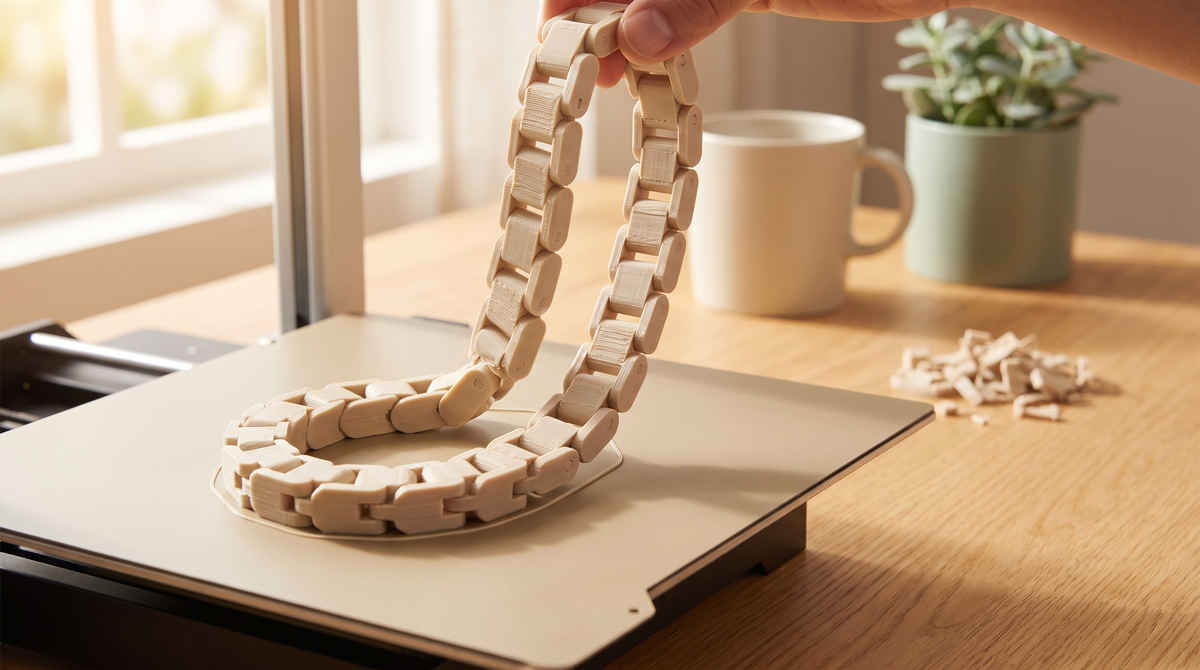
The first time I pulled a print-in-place model off the plate and it just… moved… I genuinely laughed out loud. It felt like a magic trick.
It isn't one. It's a clever bit of design plus some very specific settings. Here's how it actually works.
The basic idea
Normally, if you want something with moving parts, you print the parts separately and put them together. Print-in-place skips that. The whole thing prints as one job, with the moving pieces already interlocked, separated by gaps small enough to print but big enough not to fuse.
That's the entire secret: the design is really about the gaps.
The printer lays down plastic on one side of the gap and plastic on the other side, and as long as they never quite touch, you end up with two separate pieces that can't come apart because they were built around each other.
Why it's harder than it sounds
The window is narrow.
Too tight, and the two sides weld together. You get a solid lump in the shape of a hinge. Too loose, and you get a rattly, sloppy joint — or the pieces separate entirely and you've printed a puzzle.
Somewhere around 0.2–0.3mm of clearance is the usual starting point, but it genuinely varies by printer, material, and how well-tuned your flow is. A printer that over-extrudes slightly will close a gap that works perfectly on someone else's machine.
This is exactly why print-in-place models are the ones most worth getting as a project file with the settings included. On a static model, being slightly off just means it looks a bit different. On a print-in-place model, being slightly off means it doesn't work at all.
The settings that actually decide it
Flow rate / extrusion multiplier. The big one. If you're pushing 3% too much plastic, every gap in the model shrinks by more than you'd think. Calibrating flow is the single most useful thing you can do before attempting these.
First layer squish. Your first layer gets pressed into the plate, which spreads it wider. If a gap sits on that first layer, it can close up even when the rest of the model is fine. Sometimes the fix is just lifting the model off the plate slightly and letting supports handle it.
Cooling. Molten plastic sags. Sagging closes gaps. Good part cooling keeps edges crisp and keeps the gap a gap.
No supports in the joint. Sounds obvious, but a slicer set to "everywhere" supports will happily jam support material into your hinge, and then you're picking it out with tweezers and probably breaking something.
When it comes out fused
Don't throw it away yet. A gently fused print-in-place model can often be freed with a careful twist — you're breaking a very thin weld, not the part itself.
Do it slowly, and stop if it feels like the part rather than the weld is flexing. Sometimes it pops free and works perfectly forever.
If it fuses solid every time, that's a flow calibration problem, not a bad model.
Why I design this way
Because I have small children and I have lost too many small pieces.
Every separate part is a part that ends up under the sofa. Every glue joint is a thing that fails in six months. Every "some assembly required" is a job I have to do at the kitchen table after a long day.
When the wristlets come off the plate finished, there's nothing left to lose and nothing left to break. You take it off and use it.
That constraint makes them harder to design. It also makes them the ones people actually keep.
Common questions
Does print-in-place need supports?
Usually no — most are designed specifically to avoid them, since supports in a joint defeat the purpose. Always check what the model says rather than assuming.
What material works best?
PLA is fine for most, and it's what I use for decorative pieces. For anything that flexes repeatedly or takes real stress, PETG holds up better — PLA can go brittle at a hinge over time.
Why did mine come out in separate pieces?
Gaps too large, usually from under-extrusion. Same fix as fusing, opposite direction: calibrate your flow.
Can I scale a print-in-place model?
Carefully. Scaling changes the clearances too. Scale up and it gets loose; scale down and it fuses. Small adjustments are usually survivable, big ones aren't.
What's the most satisfying print-in-place thing you've made? Mine is still the first hinge that actually moved. 💅🏼