How to Get Supports Off Without Wrecking the Print
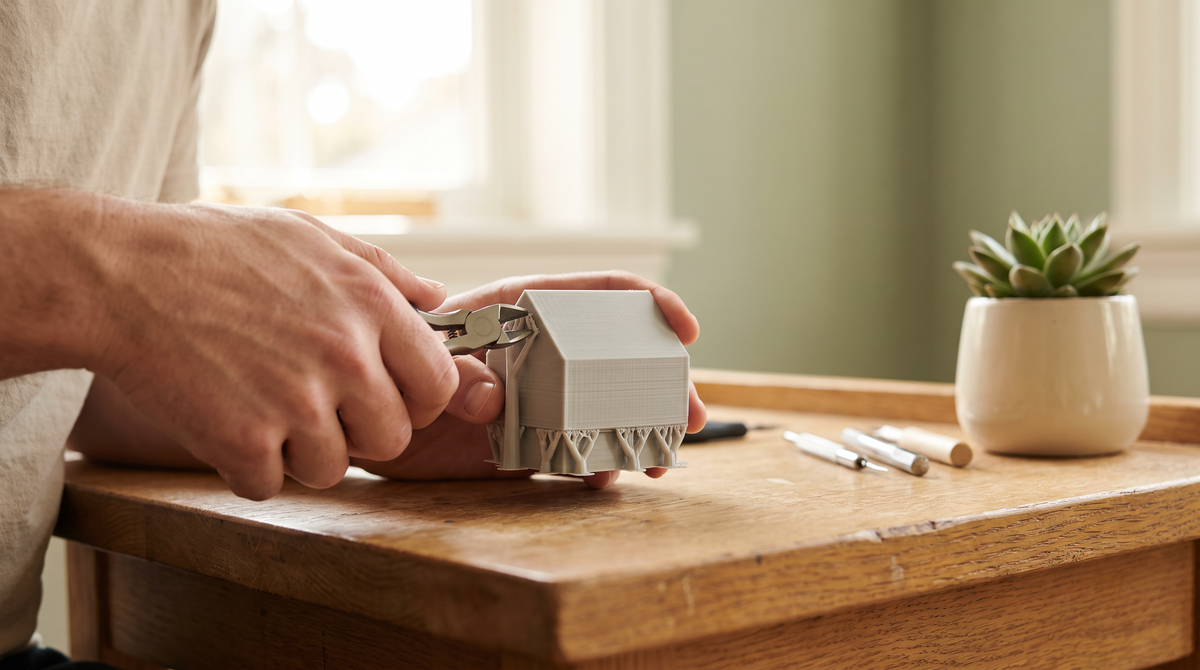
I have snapped the detail off a print while removing supports more times than I'd like to admit. Usually the last one. Usually at the last bit.
What eventually fixed it wasn't better technique with the pliers. It was realizing that support removal is decided in the slicer, not at the desk. If they're fighting you, they were set up wrong before the print started.
The setting that matters most
Top Z distance — sometimes called the support gap or z-gap.
This is the space the slicer leaves between the top of the support and the bottom of the thing it's holding up. Set it to zero and the support is welded to your model. You will not get it off cleanly. You will get it off in pieces, and some of those pieces will be your print.
You want a real gap here. On most PLA setups, one layer height is a sensible starting point — so 0.2mm if you're printing at 0.2mm. That's enough that the support holds the overhang up while it prints, but the bond is weak enough to snap off with your fingers.
If your supports currently come off with a satisfying click, you've got this right. If they come off with a splintering noise, increase it.
Tree supports, most of the time
Tree supports touch the model in far fewer places than the traditional grid kind. Fewer contact points means less to remove and fewer scars.
They're also better at reaching awkward overhangs from the side rather than building a solid block up from the plate, which saves material and time.
Where I still use normal supports: large flat overhangs that need even support across a whole area. Trees can sag under those. For most small detailed models, though, trees win comfortably.
Support interface: the trade-off
The interface is the dense layer right at the top of the support, and it's a genuine trade-off.
Turn it on and you get a much better surface finish on the supported face, because the overhang is printing onto something solid rather than bridging across gaps. But denser contact means harder removal.
My rule: interface on when the supported surface will be visible, off when it won't. A hidden underside doesn't need a nice finish and I'd rather the supports fall off in one piece.
Don't support what doesn't need it
The best support is the one you never printed.
Most printers handle overhangs up to about 45 degrees without any help at all, and bridges across a gap are often fine too. If your slicer is set to generate supports "everywhere" at a threshold of 60 degrees, it's putting material in places that would have printed perfectly.
Two things worth doing:
Try "support on build plate only." This stops the slicer building supports up from the model itself, which are always the worst ones to remove.
Rotate the model. This is the real trick. Often a small rotation turns a steep overhang into a gentle one and the supports vanish entirely. Spend two minutes rotating before you accept a support-heavy slice.
Actually removing them
Once they're set up right, technique is simple:
Do it warm if you can. A print fresh off the plate is slightly more flexible. Supports come away more willingly and the model is less likely to crack.
Hands before tools. Well-configured supports mostly peel off. Reach for pliers only for the stubborn ones.
Push away from detail, not toward it. Work out which direction the force will go before you squeeze. Most breakages are pulling toward a thin feature rather than away from it.
Flush cutters for the last bits. Little nubs left behind come off flush with side cutters, and a light sand finishes it.
Or don't use supports at all
This is the direction I've gone with most of my own designs.
If a model is designed so it doesn't need supports — overhangs kept shallow, the shape oriented so gravity is working with you — then there's nothing to remove, nothing to scar the surface, and no risk of snapping detail at the final step.
That's why the wristlet files are support-free by design rather than by luck. It takes longer to design that way. It makes the print enormously easier for whoever prints it.
Common questions
Why are my supports fused to the print?
Top Z distance too small, or over-extrusion closing the gap. Check the setting first, then calibrate your flow.
Do supports leave marks?
Always a little. Interface layers reduce it, a bigger gap reduces it, and light sanding removes what's left. Designing them out removes it completely.
Tree or normal supports?
Tree for most small and organic shapes. Normal for wide flat overhangs that need even support.
Can I reuse the support material?
Not practically at home — you'd need filament recycling equipment. Better to design so you generate less of it.
What's the worst support removal you've had? Mine was a model I'd spent nine hours printing and broke in the last thirty seconds. 🫠